Pay to Read, Pay to Scrape#
Put the opening of your article on your page and the rest behind a payment.
Readers pay in the page they are already reading. Crawlers get a 402 with a
price on it instead of your text.
your page          mechawallet
─────────          ───────────
headline
teaser  ← stays free, indexable, shareable
[gate]  ─────────▶ /x/cnt_…   ─── a valid pass ──▶ the body
                              ─── a machine ─────▶ 402, with the price
                              ─── a human ───────▶ the wall
One URL, three answers. Which one you get depends on what you carry and what you accept, and on nothing else.
Why the body has to leave your page#
Every paywall that hides text with CSS is a paywall that already served the
text. curl sees it, a scraper sees it, and the reader who opens the console
sees it.
So the paid part does not stay in your HTML. You paste a block where it used to be, and the body is served from mechawallet to whoever has paid.
There is no bot detection in this product. A scraper is stopped by the content being absent, not by being recognised. Nothing to fingerprint means nothing to evade, and no risk of blocking a reader who happened to look robotic.
What the two readers see#
Before paying, the lock panel is rendered into your page, in your fonts, on your background. Only the payment control itself is a frame, because a wallet has to sign against our origin.
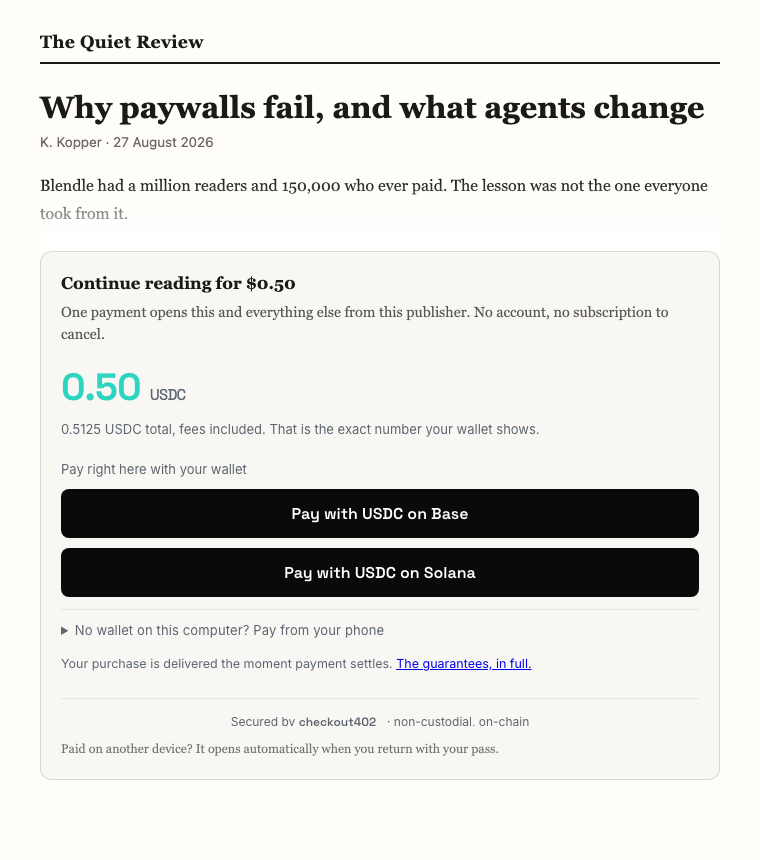
After paying, the body is injected into your page as ordinary DOM. No frame, no second typeface, no box. The article simply continues.
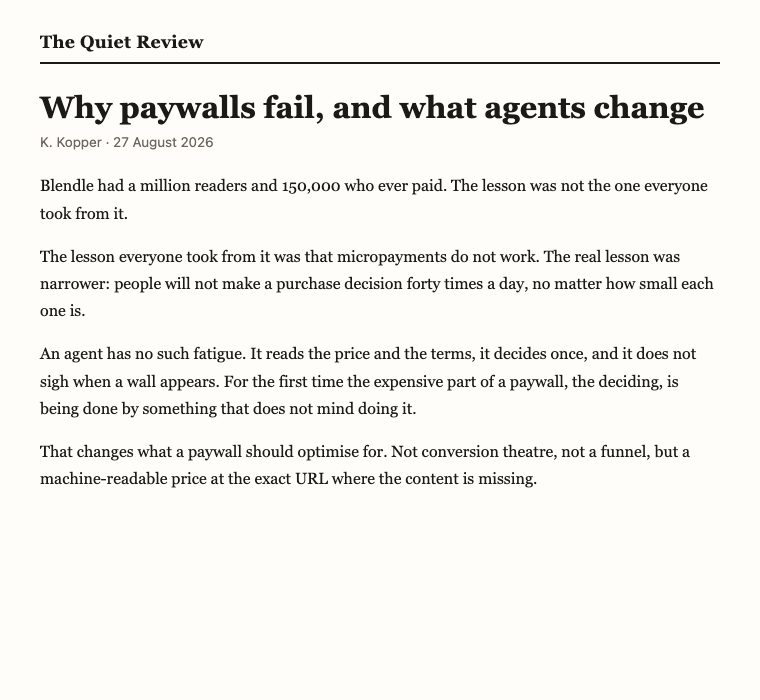
The reader does not create an account and does not start a subscription.
Make one#
In the dashboard#
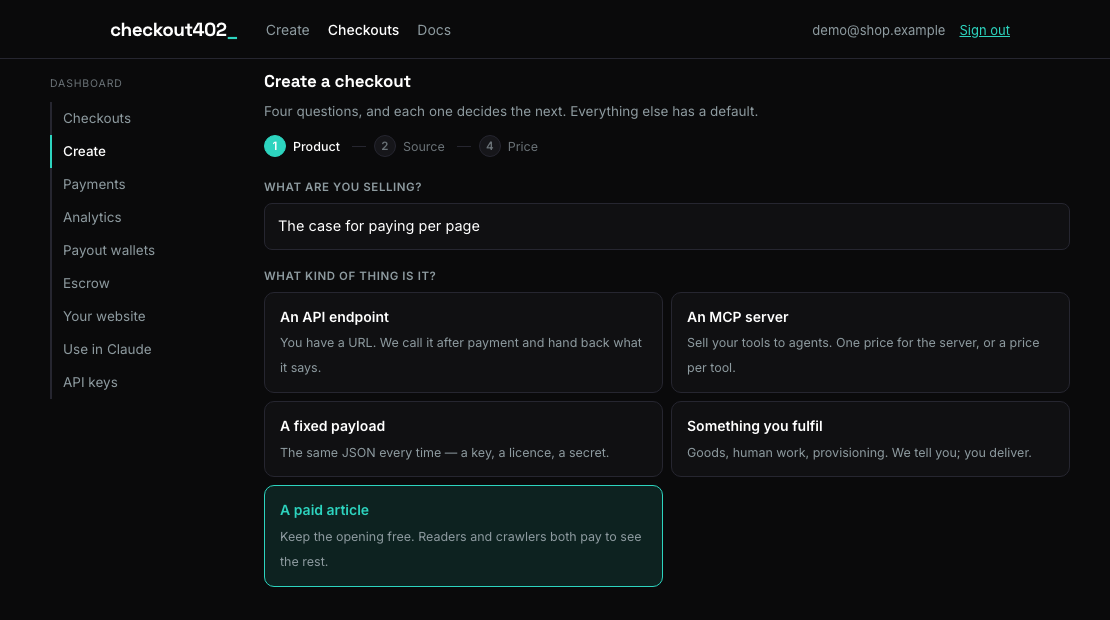
Create → A paid article.
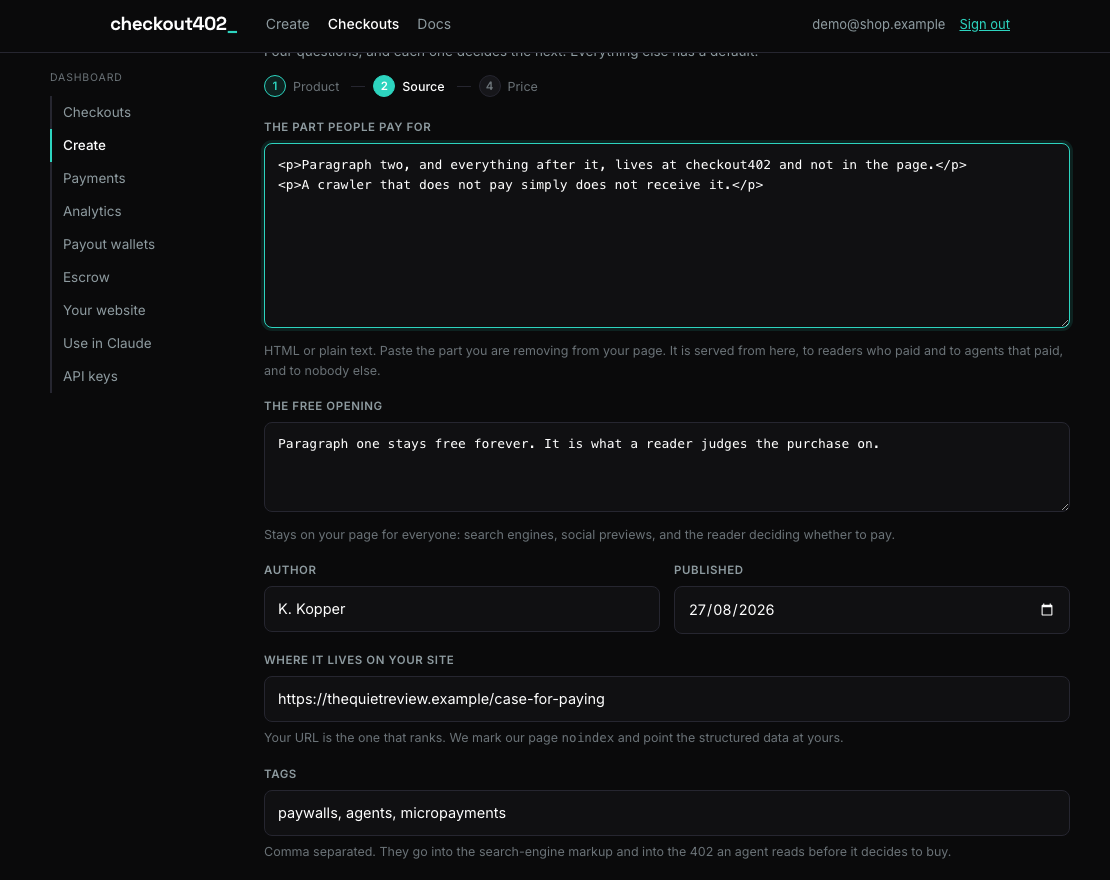
Then the piece itself: the part people pay for, the part that stays free, and who wrote it.
Create it, and the answer is the block to paste. Copy it, or open Preview the wall to see what a reader meets.
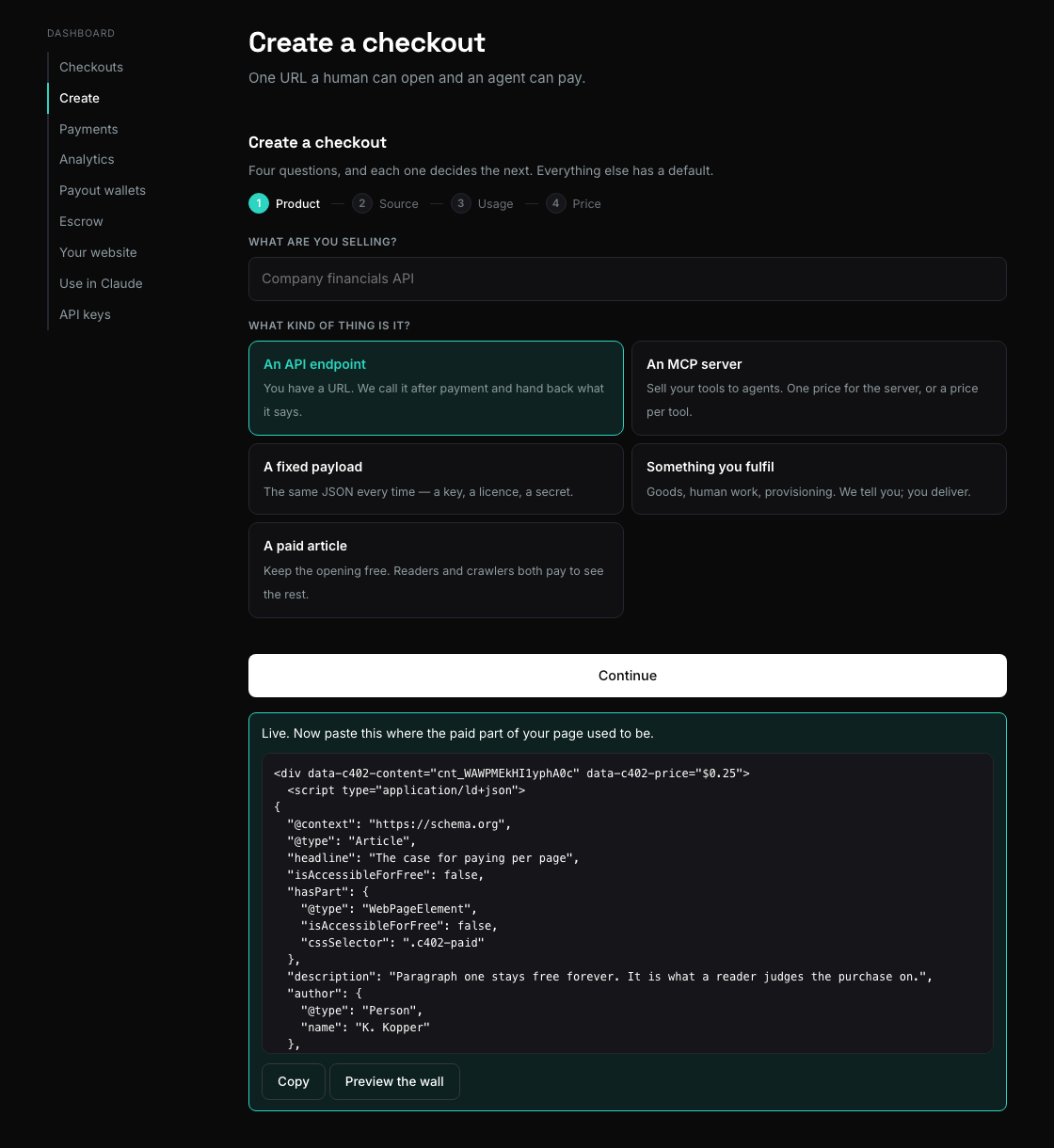
Every gated checkout keeps a Copy snippet button on its row, so you can come back for it later.
Editing it later#
Fix a typo, rewrite a paragraph, change the teaser — from the checkout's
Manage panel in the dashboard, or PATCH /v1/checkouts/{id} with
payload and content. Same id, same URL, nothing on your page changes, and
the edit is live for the next read — including readers already holding
passes.
With the API#
A gated article is an ordinary inline checkout plus a content object. That
object is the declaration: it is what search engines read, what agents read,
and what the wall says.
curl -X POST https://api.mechawallet.com/v1/checkouts \
  -H "Authorization: Bearer $MW_KEY" \
  -H "Content-Type: application/json" \
  -d '{
    "price_usd": "0.50",
    "title": "Why paywalls fail, and what agents change",
    "pay_to": "0xYourWallet",
    "payload": "<p>The rest of the article…</p>",
    "content": {
      "teaser": "The first paragraph, free forever.",
      "author": "K. Kopper",
      "published": "2026-08-27",
      "canonical_url": "https://yoursite.com/essays/paywalls",
      "keywords": ["micropayments", "paywalls", "agents"],
      "pass_scope": "seller",
      "pass_hours": 24
    }
  }'
The id comes back with a cnt_ prefix and the URL is on the /x/ face. Then:
curl https://api.mechawallet.com/x/cnt_…/snippet
which returns snippet (paste it), gate_url, jsonld and teaser.
| field | what it does |
|---|---|
teaser |
the free part. Falls back to description, then to the opening of the body |
author, published |
the byline, in the markup and on the wall |
canonical_url |
your page is the one that ranks; ours is marked noindex and points here. It is also what lets your page frame the payment control — see below |
keywords |
your tags, in the search-engine markup and in the 402 an agent reads |
section, language, license_url |
passed through to the structured data |
pass_scope |
seller (default) opens everything you publish; content opens only this piece |
pass_hours |
how long one payment lasts. Default 24, maximum a year |
From Claude, or any MCP agent#
create_checkout takes the same content object, and get_content_snippet
returns the block:
Create a paid article at 50 cents from this draft, teaser the first paragraph, and give me the snippet to paste.
get_content and update_content complete the loop: an agent can read an
article back and edit it in place, so "fix the typo in yesterday's piece"
works end to end without a browser.
pay_test_checkout rehearses it: the payment settles simulated on the test
face, and the result carries the grant as a real one would, so you can see
the pass working before any money is involved.
The block you paste#
<div data-mw-content="cnt_…" data-mw-price="$0.50">
  <script type="application/ld+json"> … </script>
  <p class="mw-teaser">The first paragraph, free forever.</p>
  <a class="mw-paid" href="https://api.mechawallet.com/x/cnt_…">Read the rest for $0.50</a>
</div>
<script src="https://api.mechawallet.com/static/embed.js" async></script>
It is static HTML on purpose. The teaser, the structured data and the payable link are all readable without running a script, so a crawler that never executes JavaScript still finds a price where the content is missing and can buy it instead of leaving empty-handed.
embed.js then upgrades it in a browser: it replaces the link with the lock
panel, or, if the reader already holds a pass, fetches the body and puts it in
place.
One thing to get right: canonical_url#
The payment control inside the panel is a live money button, and nothing may frame one of those until its owner has said who. That rule is not waived here.
You do not have to configure it twice, though: the page you named in
canonical_url is allowed to frame it, because you already had to declare that
page for the search-engine markup. Paste the block on the URL you declared and
it works.
If the article lives somewhere else, or on several hosts, add those origins the
ordinary way — dashboard → Your website, or PUT /v1/account/embed. Until
then the panel appears with an empty payment area and the exact fix prints in
your browser console.
You can style it. The mount takes data-mw-blurb for the panel's sentence,
data-mw-theme, data-mw-accent, and it gains data-mw-open="1" once
the reader is through, so your own CSS can react. The teaser is yours: it is
in your page, and we never touch it.
Paying once, not per page#
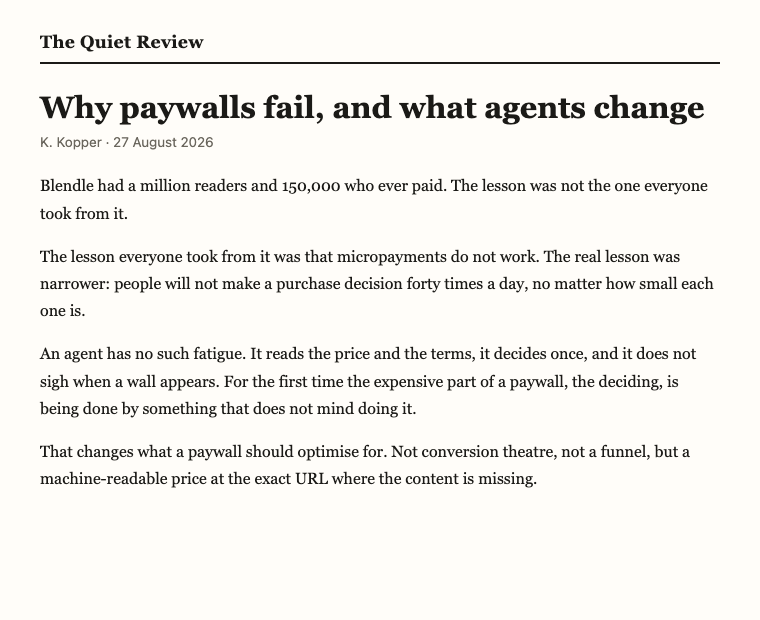
A per-article decision is the thing readers abandon. Blendle had a million readers and 150,000 who ever paid; the lesson was not that people will not pay for writing, it is that they will not decide to, forty times a day.
So a payment mints a pass, not an unlock. With the default
pass_scope: "seller", the reader who pays for one piece opens everything you
publish until the pass expires.
The pass is a signed string, not a database row. It is kept on your origin, in your visitor's own browser storage, because third-party cookies are gone and a pass that lived on our domain would not survive the trip back to your site. It never contains anything about the reader beyond the receipt it came from.
Photos, clips and recordings#
The same gate, with a file behind it instead of prose. Create it with
fulfillment: relay — the original stays on your server and we never
hold a copy — plus a content object that says what kind of thing it is:
curl -X POST https://api.mechawallet.com/v1/checkouts \
  -H "Authorization: Bearer $MW_KEY" -H "Content-Type: application/json" \
  -d '{
    "price_usd": "2.00",
    "title": "Harbour at dawn",
    "fulfillment": "relay",
    "origin_url": "https://yoursite.com/private/harbour-full.jpg",
    "content": {
      "media": "image",
      "preview_url": "https://yoursite.com/thumbs/harbour.jpg",
      "pass_scope": "seller"
    }
  }'
media is image, video or audio. preview_url is the free part —
a photograph's teaser cannot be its first 400 characters, so it is a
thumbnail, a watermarked copy, a still. It must be public: it is what a
buyer judges the purchase on and what search engines index. We never
generate it, because generating one would mean holding your original.
Paste the snippet as usual. Before paying, the reader sees your preview with a Preview badge and the payment panel under it; after paying, the real file replaces it in place.
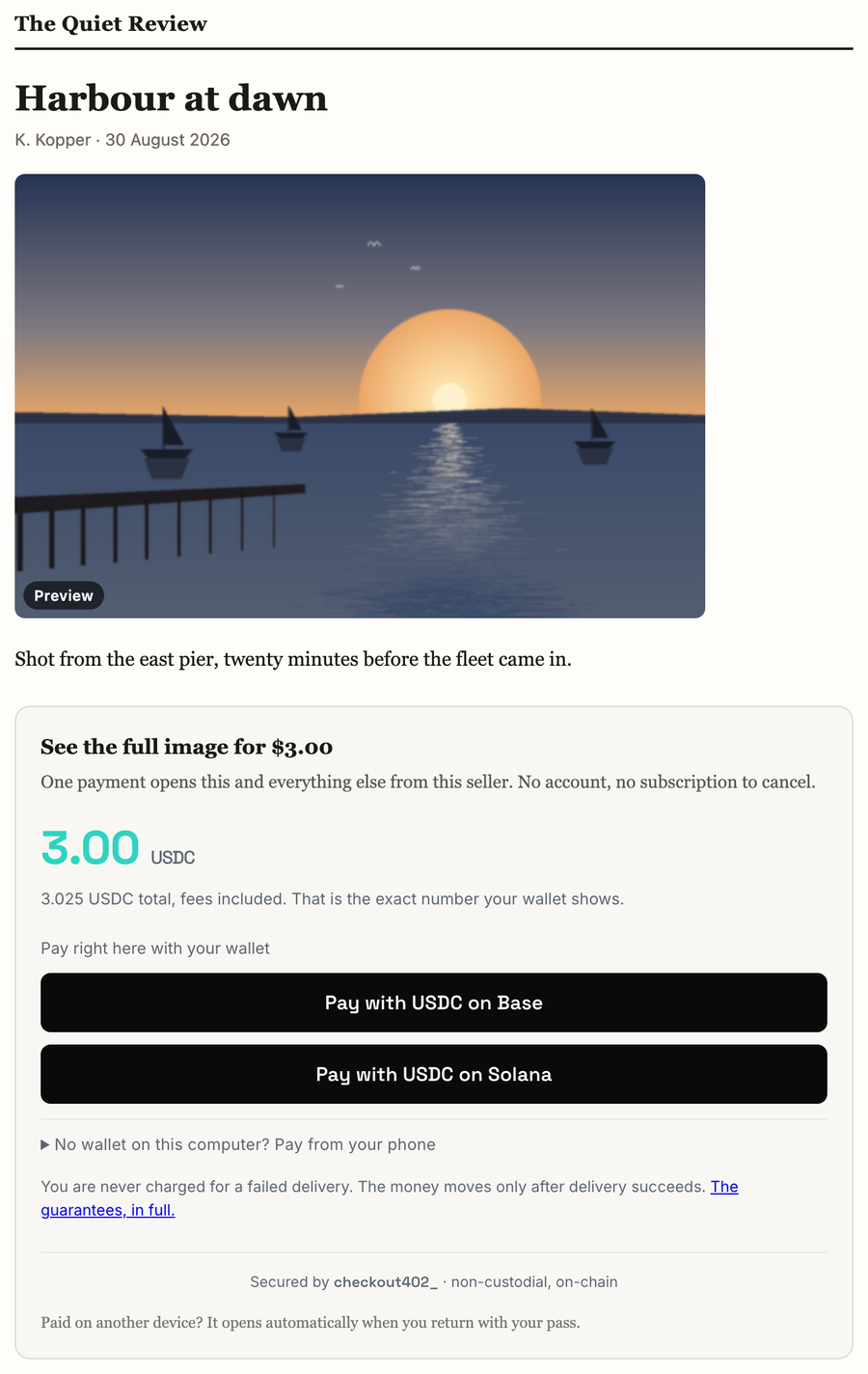
data-mw-blur="6" softens the preview while locked, which is presentation
only — the original is never sent to a browser that has not paid for it.
Video and audio get <video>/<audio> with controls, and the gate answers
Range requests, so seeking works.
What a machine sees#
The 402 names the kind, the preview and — importantly — a separate
file_url, because the bytes do not live at the resource an agent first
asked for:
"article": {
  "media": "image",
  "preview_url": "https://yoursite.com/thumbs/harbour.jpg",
  "file_url": "https://api.mechawallet.com/x/cnt_…/media",
  "file_note": "present the grant as ?grant= on file_url — media is fetched by elements that cannot set headers"
}
The pass rides the query string here rather than a header, because
<img> and <video> cannot set one. That is also why a media URL is worth
treating like a session: anyone you forward it to can open the file until
the pass expires.
Two things to be honest with yourself about#
- Gating controls access, not redistribution. Someone who has paid can save the file, exactly as with every paywall ever built. If exclusivity is the product, watermark the original before you sell it.
- Files are capped at 5 MB today, which covers photographs and short clips. Feature-length video needs streaming rather than relay, and that is a different piece of work.
Readers who should not pay#
If you already have subscribers, members or staff, they must not meet the wall. There are two ways through, and which one you want depends on where the article lives.
If the article is yours to serve — you created the checkout with
fulfillment: relay, so the body is on your own server — then simply do not
render the block for an entitled reader. Serve them the whole article. This is
what the WordPress plugin does, and it is the simplest thing that can work:
the reader never learns there was a paywall.
If the article lives here — you created it with inline, so we hold the
body — you cannot serve it yourself, and this is the case that used to leave a
publisher with a paywall their own members hit. Issue that reader a pass.
Mint it when they sign in, not when they open an article. One call, at the point your own system already knows they are a subscriber:
curl -X POST https://api.mechawallet.com/v1/grants \
  -H "Authorization: Bearer $MW_KEY" \
  -H "Content-Type: application/json" \
  -d '{"subject": "member-4821", "ttl_seconds": 86400}'
That pass opens every article you gate, including ones you publish after it was minted. Keep it beside the session — it is a session-shaped thing — and put it on each article that reader opens. One call per reader per session, not one per page view.
(POST /v1/content/{id}/grants mints one for a single piece, when someone is
entitled to exactly that: a gift link, a reviewer copy.)
Then render it on the mount for that reader, and only that reader:
<div data-mw-content="cnt_…" data-mw-grant="v1.…">
The article appears immediately. No wall, no price, no frame — the same page your subscriber would have seen if you had never gated it.
subject is who it is for in your terms: a user id, a membership number.
We record it in the pass and never interpret it, so "who did we let in" has an
answer later. scope: "seller" is right for a subscriber, since it opens
everything you gate; "content" opens the one piece.
An entitled agent takes the same pass as X-MW-Grant.
Three things worth knowing:
- You decide who is entitled. We never see your user table. The API key is what proves the decision is yours to make, which is why a pass can only be issued with a seller credential: it is a bearer token for free access to your own paid content.
- Passes expire, and are capped at 31 days. A pass that never expires is a subscription nobody can cancel, and an entitlement you revoke upstream has to stop working here on its own.
- The embed does not store a pass you issued. It belongs to that rendering of that page for that signed-in reader. Keeping it would outlive their session and let a shared browser read on after logout.
- A page carrying a pass cannot be cached publicly. It is per-reader, like any signed-in page. Cache the logged-out version, which is the one that benefits.
- A reader you vouched for is never shown a price. If the body cannot be fetched — the pass expired, we are having a bad minute — they get a short "could not be loaded, reload to try again" line, not the wall. Asking a subscriber to pay for what you already gave them is worse than showing them nothing, and you are the one who gets that email.
Pay to Scrape: the machine face#
The same URL, asked for as application/json, answers 402 with the price:
curl -H "Accept: application/json" https://api.mechawallet.com/x/cnt_…
{
  "x402Version": 1,
  "accepts": [{ "scheme": "exact", "network": "eip155:8453", "…": "…" }],
  "endpoint": {
    "article": {
      "author": "K. Kopper",
      "teaser": "The first paragraph, free forever.",
      "keywords": ["micropayments", "paywalls", "agents"],
      "pass": {
        "scope": "seller",
        "hours": 24,
        "header": "X-MW-Grant"
      }
    }
  }
}
An agent can therefore decide before it pays: it sees what the piece is, who wrote it, what it costs, and that one payment covers the rest of the site.
Paying is the ordinary x402 flow, and the response carries a grant. From
then on the agent presents it as a header:
curl -H "X-MW-Grant: v1.…" https://api.mechawallet.com/x/cnt_…
No cookies, no browser, no session. The pass a reader keeps in their browser and the pass an agent keeps in a variable are the same object.
The simplest client:
pip install pay402
pay402 https://api.mechawallet.com/x/cnt_… --key $PAY402_KEY --max-usd 0.50
Search engines#
Serving a crawler more than a reader is cloaking, and it costs you your
ranking. Serving a crawler more than a reader while saying so is the
documented, sanctioned way to run a paywall, so the snippet says so:
isAccessibleForFree: false plus a hasPart naming the gated section by CSS
selector.
Your page keeps the teaser, the headline and the structured data, and stays
the canonical URL. Our wall is marked noindex and points its canonical at
yours. You are not competing with us for your own article.
What this is not#
- Not escrow. Content is delivered the moment payment settles, so there is nothing to hold. A checkout cannot be both; the API refuses the combination.
- Not a subscription. There is nothing to cancel, and no account. A pass expires and that is the end of it.
- Not a separate integration.
/x/is a third face on the checkout you already understand./c/and/e/are untouched by it, and an ordinary checkout is not servable at/x/.
Fees#
The standard fee: 0.5% + $0.01, taken from the payment, on top of your price. At $0.50 the buyer pays $0.5125. The fixed cent is why very cheap single pieces are poor economics and a site-wide pass at a realistic price is better than a page at two cents.
Next: Your own website for the rest of the embed surfaces, or Buy as an agent for the paying side.